How Subscriptions Work in Mobile Apps: Hidden Mechanics, Auto-Renewal and Dark Patterns
Subscriptions have become the default business model for many mobile applications, from streaming services to fitness tools and productivity apps. While the idea is simple — pay regularly for access — the actual mechanics behind subscriptions are often less transparent. Understanding how billing cycles, auto-renewal and interface design work in practice helps users avoid unexpected charges and make informed decisions about their digital spending.
How Subscription Systems Are Built in App Store and Google Play
Both Apple and Google rely on centralised billing systems that developers must use when offering subscriptions inside apps. When a user subscribes, the payment is processed through their Apple ID or Google account, and the subscription becomes tied to that account rather than to the device or the app installation itself. This means access can be restored even after reinstalling the app or switching devices.
Subscriptions are usually configured with predefined billing periods such as weekly, monthly or annual plans. Developers can also set up introductory offers like free trials or discounted first payments. Once the initial period ends, the subscription automatically renews unless it is manually cancelled. This auto-renewal is enabled by default and does not require additional confirmation from the user.
When a user changes a plan — for example, upgrading from monthly to annual — the systems handle it differently depending on the store. In most cases, the new plan starts immediately, and any unused portion of the previous subscription is converted into credit. If the app is deleted, the subscription remains active because it is linked to the account, not the app itself.
What Happens When Plans Change or Apps Are Removed
Switching between subscription tiers often triggers immediate changes in billing. Upgrades usually take effect instantly, while downgrades may only apply after the current billing cycle ends. This distinction is not always clearly explained in the interface, which can lead to confusion about when the new pricing actually begins.
Deleting an app does not cancel its subscription. This is one of the most common misunderstandings among users. Since billing is handled externally, the system continues charging until the subscription is cancelled through account settings. As a result, people may continue paying for services they no longer use.
Another important detail is that access typically remains active until the end of the paid period even after cancellation. This means users can safely cancel immediately after subscribing to a trial and still retain access until the trial ends, avoiding automatic charges.
Retention Tactics: Trials, Reminders and Behavioural Triggers
Free trials are one of the most effective tools used to attract users. They reduce the initial barrier to entry and create a sense of risk-free exploration. However, trials are almost always linked to auto-renewal, meaning users are automatically charged once the trial period ends unless they cancel in time.
Many apps use reminders strategically. Instead of notifying users shortly before the trial ends, some delay or minimise these alerts, relying on users forgetting about the subscription. Others use subtle notifications that do not clearly communicate the upcoming charge.
Behavioural design also plays a role. Apps may encourage daily usage during the trial period to build habits. Once a routine is formed, users are less likely to cancel, even if they originally intended to use the app only temporarily.
Examples of Manipulative Design (Dark Patterns)
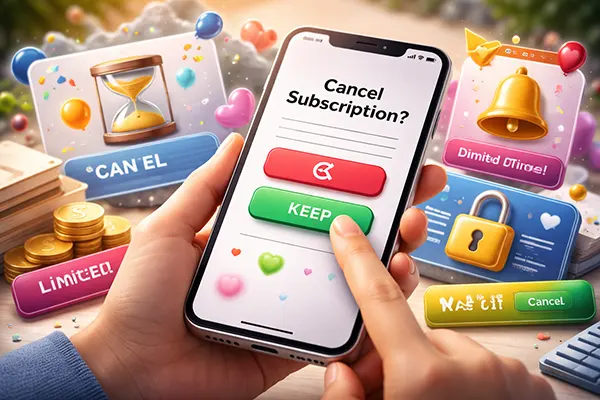
Some applications use interface techniques that make cancellation harder than subscribing. For instance, the subscription button may be large and visually prominent, while the cancellation option is hidden deep within settings or written in less noticeable text.
Another common tactic is unclear pricing communication. Instead of showing the full cost upfront, apps may highlight a low weekly price without clearly stating the total monthly or annual expense. This can distort the user’s perception of affordability.
There are also cases where countdown timers or urgency messages are used during trials, suggesting that an offer will disappear soon. In reality, these offers are often permanent. Such techniques are designed to push users into quick decisions without careful consideration.
How to Control and Cancel Subscriptions Without Losing Access
Managing subscriptions effectively starts with knowing where they are stored. On iOS devices, all active subscriptions can be found in the Apple ID settings under “Subscriptions”. On Android, they are located in the Google Play account section. These dashboards provide a clear overview of billing dates, renewal status and pricing.
To avoid unwanted charges, it is advisable to cancel subscriptions immediately after activating a trial. Since access continues until the end of the paid period, this approach removes the risk of forgetting the renewal date while still allowing full use of the service.
Another useful habit is regularly reviewing active subscriptions, especially for apps that are no longer used. Even small recurring payments can accumulate over time, making it important to keep track of ongoing expenses.
Practical Steps for Safer Subscription Management
Set calendar reminders a few days before trial periods end. This provides enough time to evaluate whether the service is worth continuing and prevents automatic charges from going unnoticed.
Use built-in spending reports available in both Apple and Google ecosystems. These tools help identify recurring payments and highlight apps that may no longer provide value.
Finally, pay attention to confirmation screens during sign-up. Carefully reading the terms — especially renewal conditions and pricing after the trial — can prevent misunderstandings and ensure that subscriptions remain a conscious choice rather than an automatic expense.